2026-07-21
Melon Plastic Surgery Naver Booking Page Open!
Melon Plastic Surgery has launched its Naver booking page, allowing easy appointments directly through Naver search.
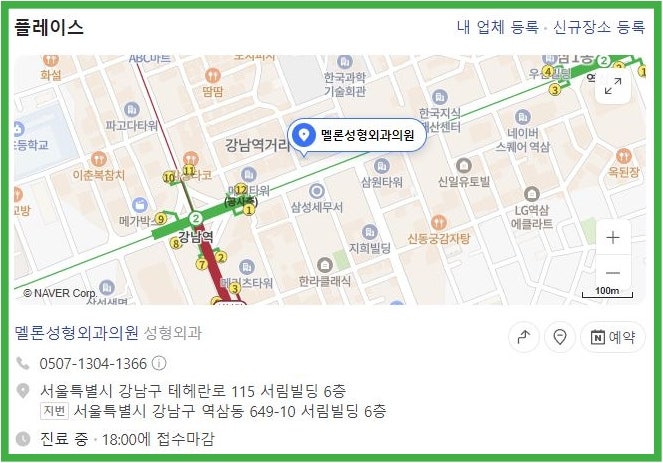
Melon Plastic Surgery Naver Booking Page Open!
Hello, this is Melon Plastic Surgery.
We have exciting news!
The Melon Plastic Surgery Naver booking page has finally opened!
1. Search for ‘Melon Plastic Surgery’ in the Naver search bar.

2. Click on ‘Melon Plastic Surgery’ in the ‘Place’ section.
3. Click ‘Book’ and select your desired time slot, and you're done!
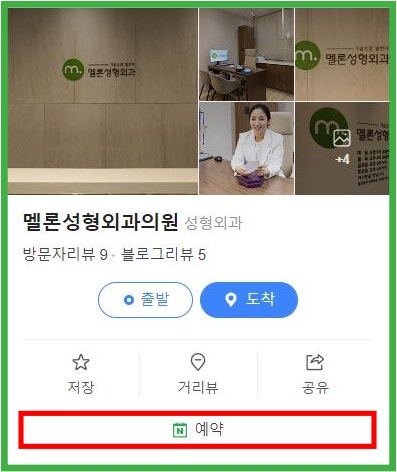
You can now book appointments very easily without having to use the phone, KakaoTalk channel, plastic surgery apps, or our website.
❤We look forward to your use❤





Frequently Asked Questions
How do I make a Naver reservation for Melon Plastic Surgery?
To make a Naver reservation for Melon Plastic Surgery, search for ‘Melon Plastic Surgery’ in the Naver search bar, then click on the clinic in the ‘Place’ section, and press the reservation button to select your desired time slot. It's simpler than the previous methods.
What are the conveniences of Naver reservations?
Naver reservations make it convenient to book appointments very easily without having to use the phone, KakaoTalk channel, plastic surgery apps, or our website. You no longer need to go through multiple channels.
Are reservations for Melon Plastic Surgery only available through Naver?
No, in addition to Naver reservations, you can still book appointments for Melon Plastic Surgery through the phone, KakaoTalk channel, plastic surgery apps, and our website, as before. Naver reservation is a new additional option.
Can I book an appointment immediately after searching for Melon Plastic Surgery on Naver?
Yes, after searching for ‘Melon Plastic Surgery’ in the Naver search bar, you can click on ‘Melon Plastic Surgery’ in the ‘Place’ section of the search results and proceed directly with your reservation via the booking button.